How to place order in the reseller website.

How to place order in the reseller website.

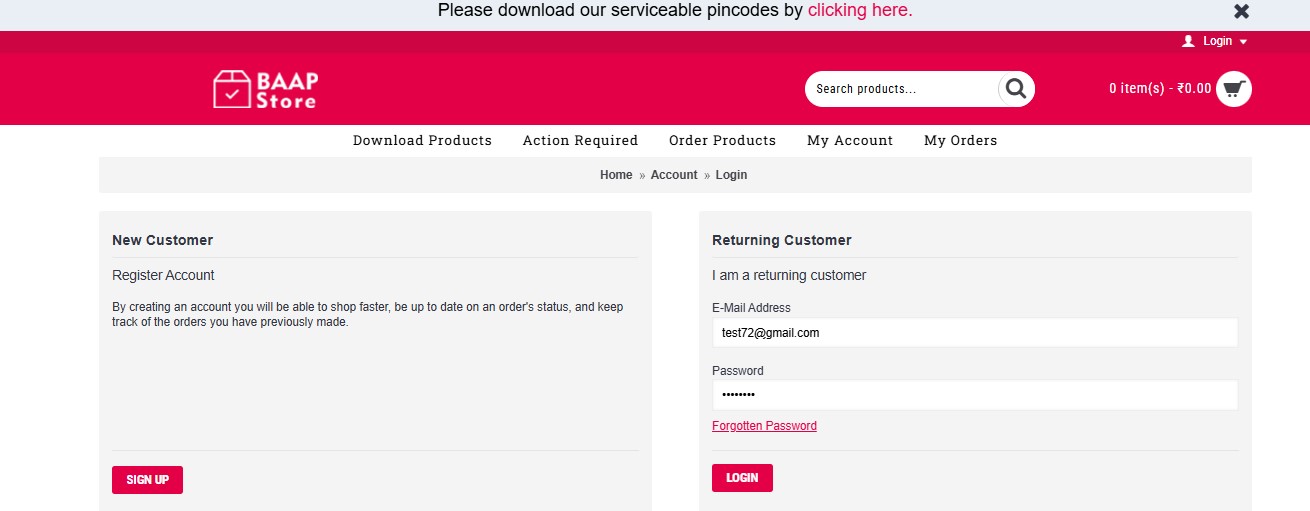
Step 1: Log in to the reseller account using your login credentials:
https://reseller.baapstore.com/index.php?route=account/login


Step 2:
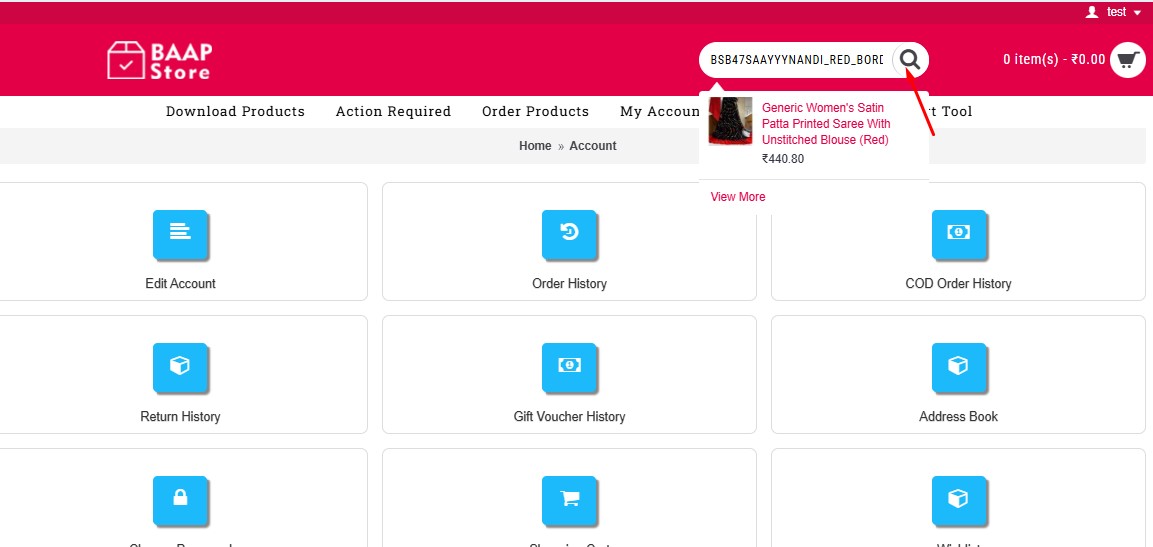
Search for the SKU.


Step 3:
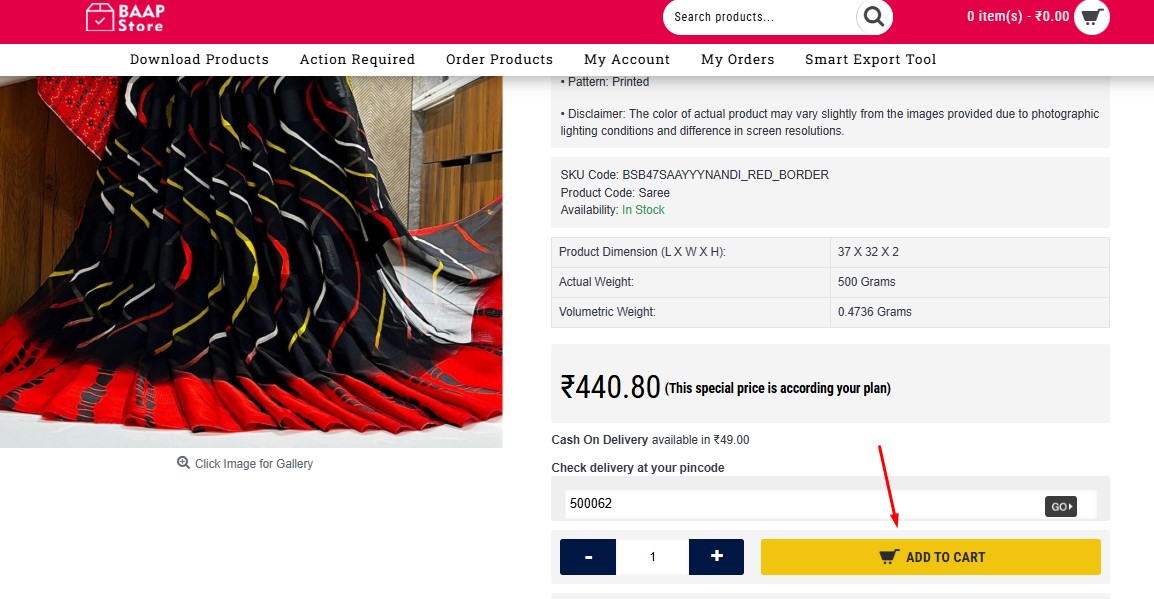
Open the product page and click the Add to Cart button.


Step 4:
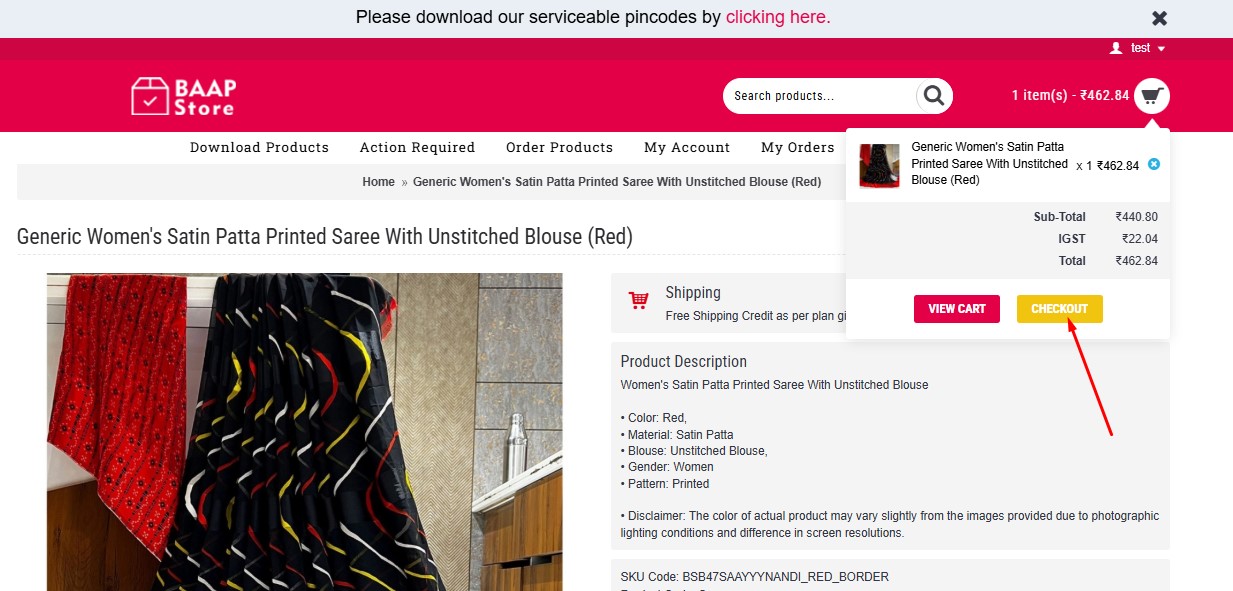
Click the Checkout button in the header.


Step 5:
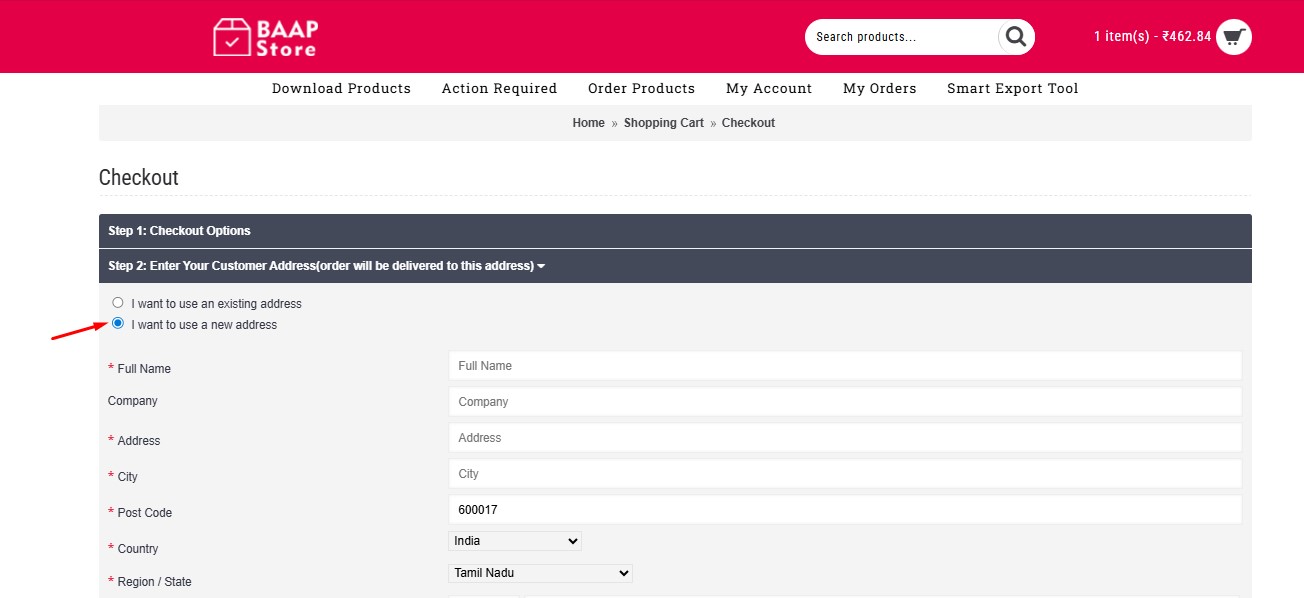
Enter the customer’s address in the required fields.

Step 6:
Choose the payment method: Pay Online or Cash on Delivery (COD).


Step 7:
Select the delivery method (delivery charges will be displayed).


Step 8:
Enter your selling price in the given field and continue.
Note: FSP (Price you sold to customer) must be higher than product and shipping price combined.


Step 9:
Click the Confirm Order button.
Note: FSP (Price you sold to customer) must be higher than product and shipping price combined.


Step 10:
Your order will be placed successfully, and a confirmation message will appear.


    • Related Articles

    • Create a Reseller Account

      If you have made a payment for any of our subscriptions, you shall create your Free Account to start using our panel, download product sheets, order products, download invoices, etc., Please follow the below steps to create your free reseller ...
    • How to Change the Order Status in Your Website & Notify Customers

      Step 1: Go to your Admin dashboard using the credentials provided to you. Usually admin page will be located at - yourwebsitename.com/admin Step 2: Navigate to Sales > Order from the left menu. After selecting this, you'll see your orders in the ...
    • How to Place Return Request on Reseller.Baapstore.com

      Please follow the below steps to initiate return of this order: 1. Log in to your reseller panel and navigate to the 'Order History' page by clicking on 'My Orders' menu. 2. Click on 'View (eye icon)' on the respective order row that you want to ...
    • How does the invoice and billing work on every order?

      You will get invoices for every single orders from us. For every order in dropshipping business, there would be two invoices. Let's call them as First Part invoice and Second Part invoice. First part invoice is from you to your end customer and ...
    • How to create a Return Request from your E-commerce Website

      You can just inform us about the order returns and we'll do the necessary steps, provided that it follows our Returns and Exchanges terms. Below are the steps your Buyer needs to follow to create a Return Request from your Website: Step 1: After ...