Whitelist Baapstore.com to Receive Exclusive Offers & Information on Dropshipping Business
Please follow below 3 measures to ensure that you are receiving our offer mails and dropshipping information on time.
Measure 1: Mark an email as Not Spam
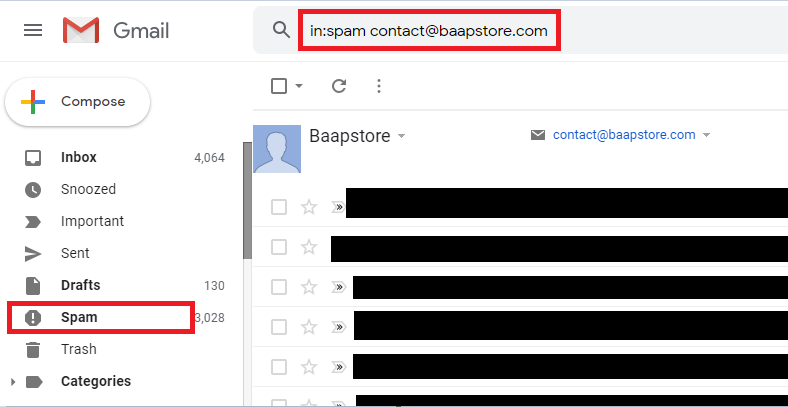
1. On your computer, open the Gmail website.
2. On the left, select Spam. If you don’t see Spam, select More.
3. Open the desired email message.
4. At the top of the page, select Not spam.
Please refer the screenshot below:
Please refer the screenshot below:
Measure 2: Create a filter rule to keep desired email out of spam
1. Open the Gmail.com.
2. In the search box at the top, select the Down arrow.
3. In the From field, enter the sender email address.
4. At the bottom of the search window, click Create filter.
5. Select Never send it to Spam.
6. Click Create filter.
Measure 3: Add us as a Gmail Contact
On a computer (web site)
1. On your computer, go to contacts.google.com.
2. At the top left corner, select Create contact..
3. Enter the contact’s information, including the sender email address.
4. Select Save in the bottom right corner.
On an Android smartphone/tablet (mobile app)
1. On your Android phone or tablet, open the Contacts app.
2. At the bottom right, tap Add.
3. Enter the contact’s name and email address.
4. Make sure you save the contact to the correct account. Next to your email account, tap the Down arrow and then select the account that will receive the email messages you’re whitelisting.
5. When you’re finished, tap Save.